Set up in four steps
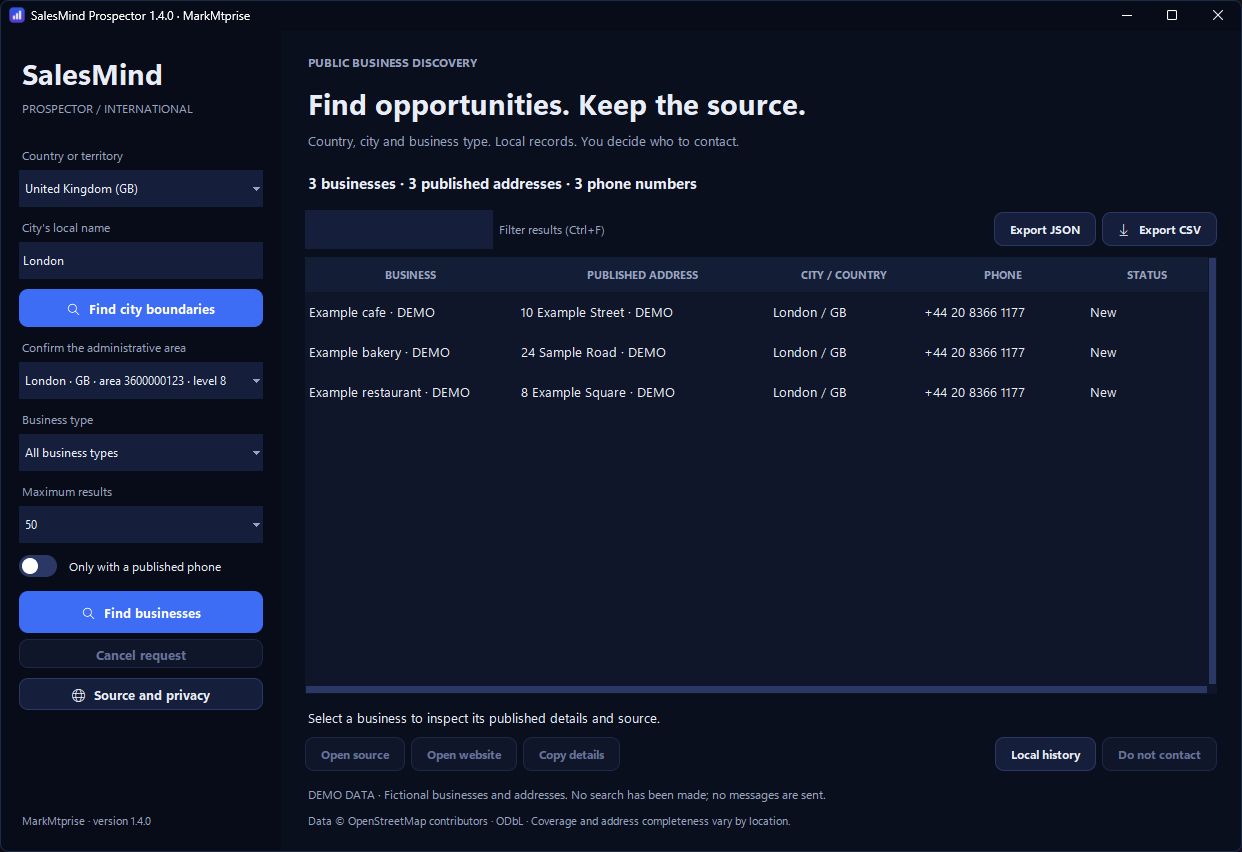
Set up in four steps
The license is the software. The search service is yours to connect, and the app tells you where.
01
Install on Windows
Extract the ZIP to a folder you can write to and open SalesMind Prospector.exe. Windows 10 or 11, 64-bit. There is no account to create. The executable is not code-signed yet, so Windows may ask you to confirm before it opens.
02
Enter your activation code
The commercial edition asks for your individual code the first time you search. It is checked on your PC, offline.
03
Connect your search service
Open Source and privacy and add an HTTPS search endpoint you are authorized to use. The license does not include one.
Prospector queries the Overpass API, the read service for OpenStreetMap data. Use your own Overpass instance or a provider whose terms allow your workload. Public community servers are shared and promise no uptime: fine for a light test, not for regular commercial use. Any provider costs are paid to the provider.
04
Run your first search
Choose a country, type the city’s local name, confirm the right boundary, pick a business type and a limit of 25, 50, 100 or 200 results, then Find businesses.